Our own product

OkLimit — an AI assistant that pays within your limits

A connector for Claude and ChatGPT: the assistant pays for orders and subscriptions from the person's own card, but only within their rules. New shops, subscriptions and large amounts wait for an “ok”.

Live project websiteoklimit.com
6
MCP tools for Claude, ChatGPT and other assistants
3
levels of limits: per purchase, per day and per month
0
card details the assistant ever sees
1
button stops every payment at once
OkLimit — an AI assistant that pays within your limits

Challenge

Assistants can already find a product and fill in an order, but a person still has to pay. Handing a model the card is risky: it can get the amount wrong, trust a fraudulent shop page or pay twice. The task was a service where the assistant pays on its own while the money and the decisions stay with the person.

Solution

  1. An MCP connector for Claude, ChatGPT and other assistants: six tools — limits, payment request, status, answers to the shop's questions, history and cancellation. Connected through OAuth, no keys to copy.
  2. The server checks the rules, not the model: limits per purchase, day and month and an auto-pay threshold. Anything above the limits is refused with the reason.
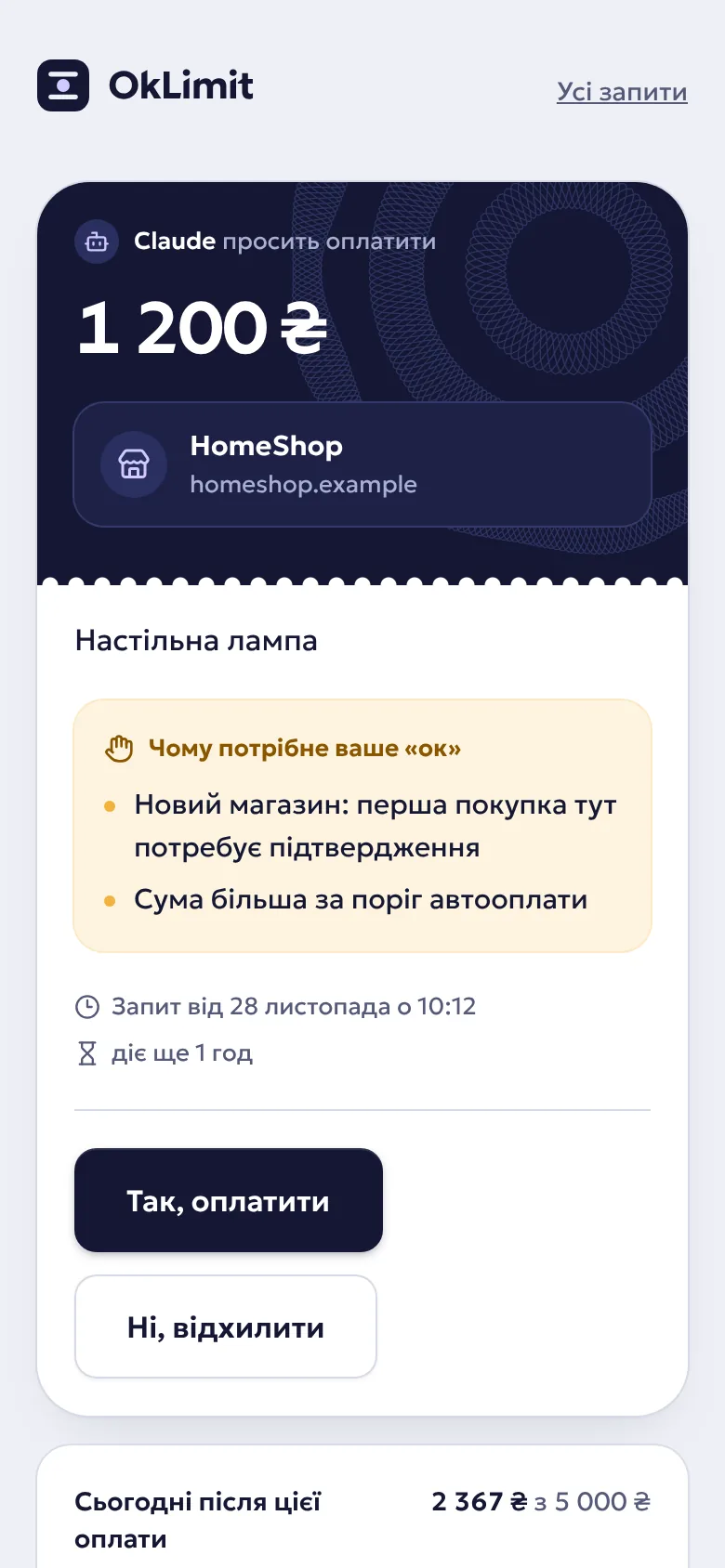
  3. Small purchases in familiar shops go through at once. New shops, subscriptions and amounts above the threshold wait for an “ok” in the dashboard, by e-mail or in Telegram, and an unanswered request expires unpaid.
  4. The card is kept by a PCI DSS-certified payment provider. The assistant never sees any card details, and the service knows only the card brand and last four digits.
  5. The payment provider's agent places the order in the shop and pays no more than the approved amount. The shop's questions (a delivery branch, a phone number, a bank confirmation) go to the person.
  6. A “Stop payments” button, separate access for each assistant and a log: who asked, what was checked, who decided and how it ended.
  7. A 199 ₴ monthly subscription through WayForPay, a free test mode on an emulator, a blog whose articles write themselves, llms.txt and Schema.org markup for AI search.

Result

OkLimit runs at oklimit.com. A person connects an assistant, sets limits and sees every payment in the dashboard. Small purchases in familiar shops go through on their own, anything new waits for an “ok”, and anything above the limits is refused with an explanation. A free test mode shows the whole flow without real money.

Why it matters

  • The assistant handles routine purchases on its own: small orders in familiar shops don't interrupt the person.
  • New and large payments never go through without an “ok”, so a model's mistake or manipulation costs no money.
  • The server, not the prompt, holds the limits: the assistant can't get around them even if asked to.

What it looks like

Captures of a demo account in test mode: payments run on an emulator, the shops and amounts are made up.

oklimit.com home page
oklimit.com home page The product's promise in one screen: the assistant pays, the limits and the “ok” stay with the person.
Dashboard
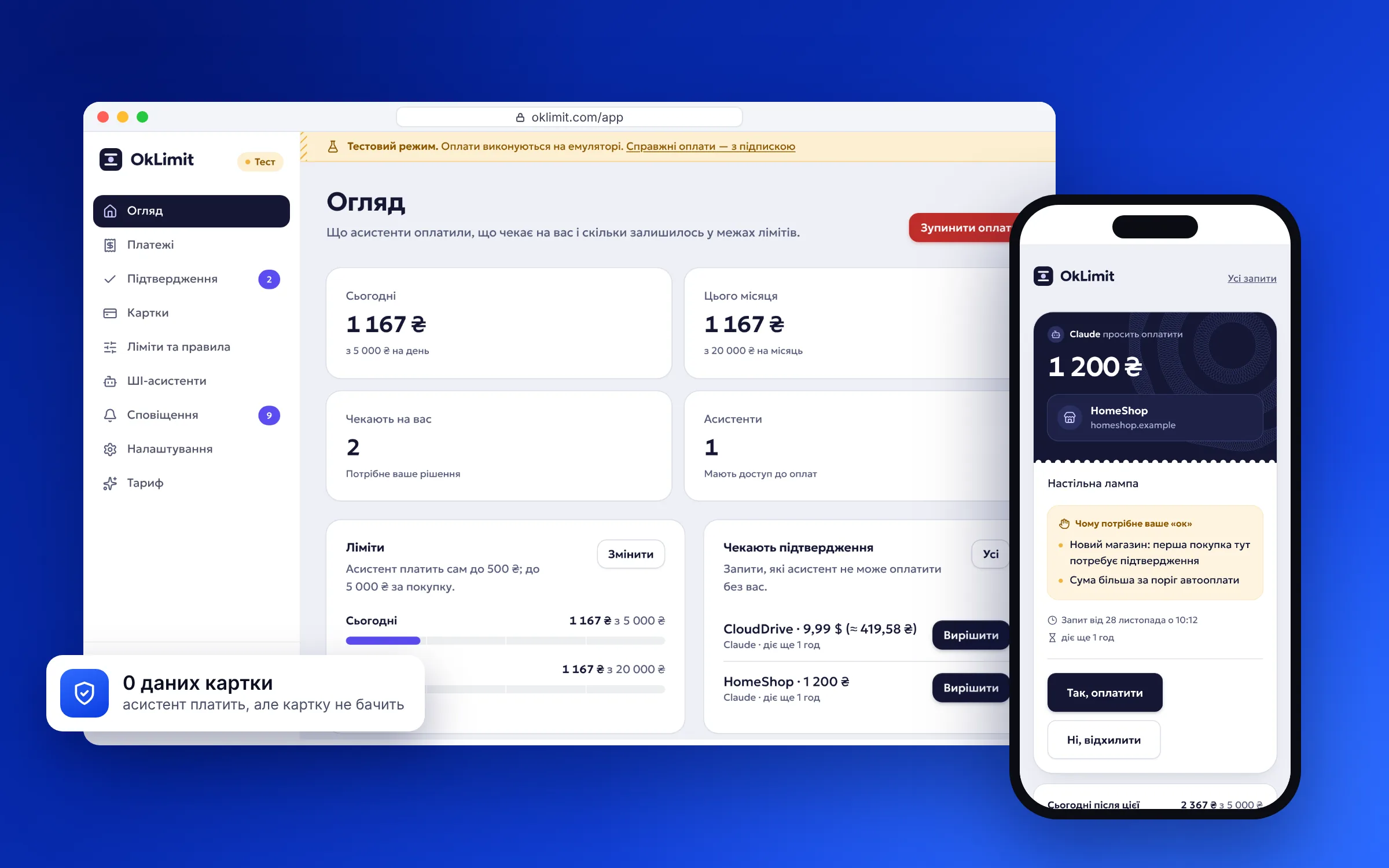
Dashboard What was spent today and this month, what is waiting for a decision and which assistants have access.
Approvals
Approvals A new shop or subscription waits for an “ok”, with the reason a decision is needed.
An “ok” from the phone
An “ok” from the phone The link arrives in Telegram or by e-mail, then it's one tap on “Yes, pay”.
The site on a phone
The site on a phone The home page works just as well on a phone.
Rule check
Rule check A request above the limits is refused, and the log shows which rule did it.
Limits and auto-pay
Limits and auto-pay Limits per purchase, day and month, the auto-pay threshold and the button that stops every payment.
Payment history
Payment history Every request from the assistant: what it asked for, where, how much and how it ended.

Let's find where your business loses time and leads

Choose what suits you: leave a request and a sales manager will get in touch, explain the details and suggest a meeting. Or book a meeting straight away in the calendar.

  1. Request

    1 minute: your contact and a few words about the task.

  2. Sales manager

    Gets in touch within one business day, explains the details and answers questions.

  3. Online meeting

    A 20–30 minute review of your process with an expert from our team.

Leave a request

A sales manager will contact you, explain the details and then suggest a meeting.

Preferred way to reach you

or

Book a meeting right away

Online, 20–30 minutes — pick a time in the calendar

By sending this form you agree to the privacy policy.

Free process review

Leave a contact — a manager will message you within one business day to agree a time. 20–30 minutes online, no obligation.

Preferred way to reach you
or message us on Telegram

By sending this form you agree to the privacy policy.

Telegram Free review
Message us